Auto Loot System
The Auto Loot System helps players collect loot automatically when defeating creatures. Matching items from the eligible killer's loot list are collected when backpack space and capacity allow. Coins collected with the money option go to the bank.
🛈 Your autoloot messages will appear in the Autoloot channel so you can see what loot you get.
Overview
What it is
Auto Loot removes the manual corpse-looting chore: you build a personal whitelist once, and from then on the server moves matching drops straight into your inventory when you are the eligible killer with the most damage.
How it works
- After an eligible kill, matching items — including items inside corpse bags — are delivered to your backpack when space and capacity allow. Items that cannot be collected stay in the corpse.
- Enable Automatically loot money to sweep coins straight into your bank, and Automatically loot gems to collect upgrade stones.
- Anything not on your list stays in the corpse, so rare items can still be looted by hand. All transfers are reported in the Autoloot channel.
Key rules
- Slots: 5 on a free account, 10 with Premium, 15 with an autoloot bag, 20 with Premium + autoloot bag.
- Money and gem items are never added to the item list — use their dedicated toggles instead.
- Your list survives relogs, death and server restarts; it is stored per character.
How to use it
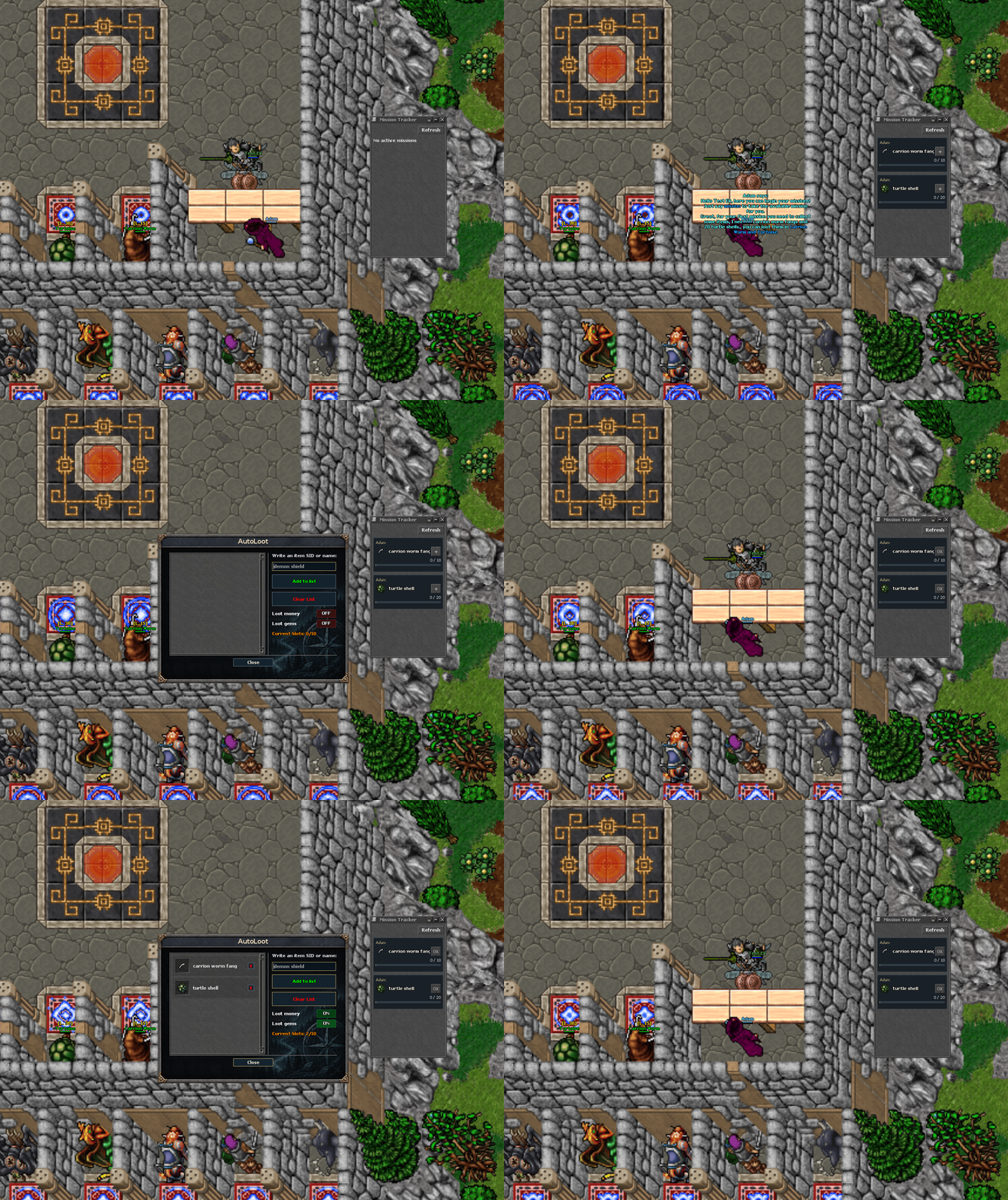
!autoloot add,<item name>— add an item (note the comma afteradd).!autoloot remove,<item name>,!autoloot listand!autoloot clearmanage your list.- Open the AutoLoot module window from the top menu to toggle money/gems and review your slots.
- The Mission Tracker window can add items to your auto-loot list directly with the small + button on any item row.
- The autoloot bag (once per character) grants +10 slots permanently.
⚠ If you lose your premium account and become a free account, your entire auto loot list will be cleared!
Slots
| Type | Slots |
|---|---|
| Free Account | 5 Slots |
| Premium Account | 10 Slots |
| Autoloot Bag (permanent bonus) | +10 Slots |
Auto Loot Commands
| Command | Description |
|---|---|
| !autoloot add,<item name> | Adds an item to the loot list. |
| !autoloot remove,<item name> | Removes an item from the loot list. |
| !autoloot list | Displays all items in your loot list. |
| !autoloot clear | Clears all items from your loot list. |