Player Commands & Pet Controls
Current quick reference for player commands, system windows, and pet controls.
Player Commands
Requirements vary
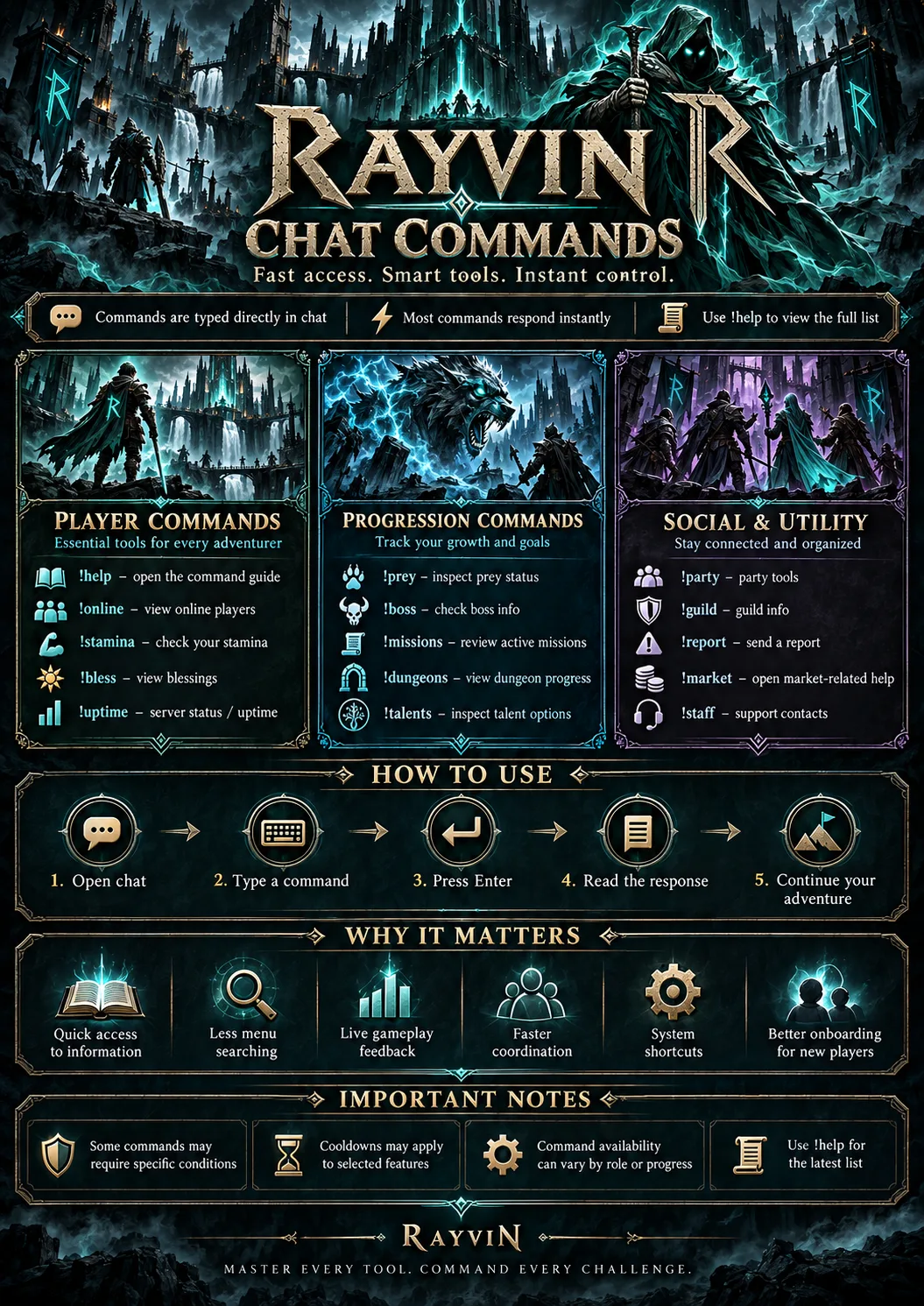
Use these commands in the default game channels to manage your character and system windows.
| CMD !charms | Open Charm Bag. |
| ARENA !arena | Level 500+: enter solo 1v1 matchmaking when out of combat. During a fight, only the window opens. |
| PREY !prey | Show your active prey monster, bonuses, and remaining time. !preybonus works the same way. |
| REWARD !reward | Open the legacy level reward list. |
| STAGE !stage | Open your Stage requirement checklist. This only shows progress; speak to [Stage] Mortada to advance. |
| PARTY !partybonus | Party leaders can choose a 30-minute Monster, Boss, Dungeon, or PvP bonus. Each member has a separate 30-minute cooldown; leaving the party removes the bonus. |
| TALENT !hidentalent | Open the hidden-talent checklist to see which locations you have already claimed. |
| ITEM !upgradetransfer | Open the item Upgrade Transfer window. !transferupgrade is an alias. |
| PET !pet | Open the pet system window. |
| STYLE !cosmetics | Open the cosmetics interface. |
| TASK !task | Open the current Adam task information. |
| DUNGEON !dungeoninfo | Show your current dungeon information. |
| CHAR !changesex | Change your sex (cost: 2 premium days). |
| INFO !time | Show the current server time. |
| ZONE !fishing | Teleport to your owned fishing room from a protection zone. |
| FX !magicwall | Change magic wall color style. |
| PROTECT !bless | Add blessing to your character (if possible). |
| INFO !spells | Open your available spells by category and see the next level unlocks. |
| LOOT !autoloot | Open commands list for the Auto Loot system. |
| POINTS !onlinepoints | Check how many online points you have. |
| INFO !online | List all online players. |
| INFO !uptime | Show the current server uptime. |
| ITEM !bp | Buy a backpack. |
| PVP !nonpvp | Toggle Safe PvP protection in a protection zone, or use on, off, status. You have 2 hours of online protection per 24-hour period. Below level 1,000 it is free; levels 1,000–24,999 pay 50 Star Coins once per period. Level 25,000+ cannot enable it. Protection pauses on logout; enable it again after login. There is a 10-second command cooldown. |
| PVP !pvptask | Check your PvP task progress or retry claiming a completed reward after making room and capacity. |
| INFO !commands | Open the player command list. Guild wars are managed in Guild Manager (Ctrl+G). |
| LOOT !loot | Send loot messages from Server Log to the Loot channel. |
Pet Window Controls
!pet window
Type !pet, then use the window controls to manage your companion.
Requires level 300 and the Pet Doll unlock. These are window controls; legacy Pet Channel commands are unavailable.
| PET Buy | Choose Knight, Paladin, Druid or Sorcerer; costs 50,000 gold. |
| PET Summon | Bring your living pet beside you. |
| PET Remove Pet | Remove your summoned pet while keeping its progress and talents. Revive it for pet level × 1,500 gold to summon it again. |
| PET Revive | Costs pet level × 1,500 gold; five-minute cooldown. |
| PET Advance | Earn pet EXP below level 100. Purchased levels cost 2,000,000 gold + 5 Rayvin Tokens while your pet is level 100–299, or 4,000,000 gold + 10 tokens at level 300–599. Maximum pet level: 600. |
| PET Rename | Use 3–12 letters or spaces. |
| PET Upgrade | Spend Pet Talents on damage, damage reduction, or healing received from the owner. |
| PET Remove | Refund a Pet Talent point for 600,000 gold in the window. |
| PET Outfits | Choose My Outfit or Pet Original in a protection zone; ten-second change cooldown. |